Breaking change coming to Power BI PowerShell Cmdlets
Heads up: breaking change coming to Power BI PowerShell Cmdlets

MicrosoftPowerBIMgmt versions older than 1.0946 will break during login: please update modules to a newer version
Microsoft made changes to the way the cmdlets talk to Azure Active Directory. As a result, MicrosoftPowerBIMgmt version older than 1.0946 will error out during the login flow. This change will start to roll out on July 30th, so please upgrade your MicrosoftPowerBIMgmt module version by that date to avoid disruption.
To find out what version of the module you have, run this command in Windows PowerShell:
PS C:\windows\system32> Find-Module -Name MicrosoftPowerBIMgmt
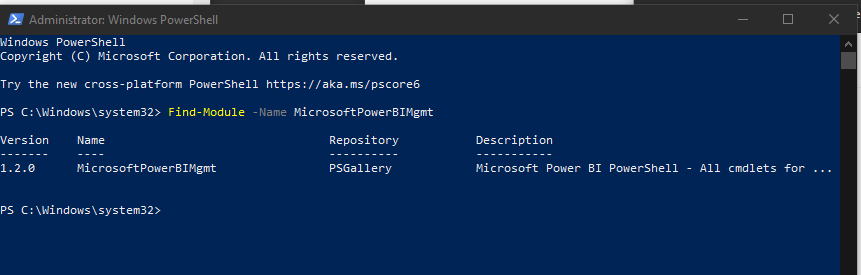
If the version number shown is equal to or greater than 1.0946, no further action is needed on your part. However, if your version number is lower than 1.0946, you need to update the module to avoid breaking your existing Powershell scripts. To do so, simply open Windows PowerShell as an Admin and execute the following command:
Update-Module -Name MicrosoftPowerBIMgmt
Connect-PowerBIServiceAccount is now using MSAL: no action required
Additionally, they have upgraded the Connect-PowerBIserviceAccount cmdlet to use the Microsoft Authentication Library (MSAL), rather than the Active Directory Authentication Library (ADAL). MSAL is now the recommended authentication library for use with the Microsoft Identity Platform. It is more secure and resilient, supports more authentication features, and has a number of other benefits . This update requires no action on your part, and does not change the current cmdlet end-user experience. Give it a try to address incompatibility issues previously experienced when using some Azure services (such as this or this).


