Get started: embed Power BI in Jupyter notebooks
Published
•1 min read
I
Azure Cloud Data & AI Solution Engineer specializing in Microsoft Fabric, Power BI, data architecture, governance, and modern data platforms.
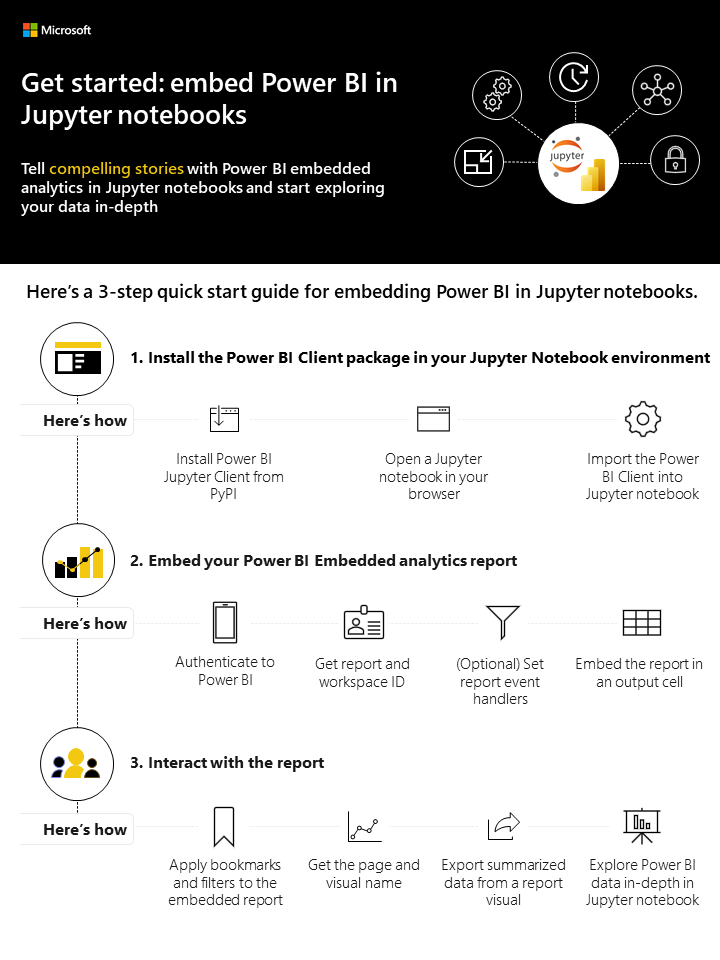
You can now tell compelling data stories with Power BI in Jupyter notebooks. Get your Power BI analytics in a Jupyter notebook with the new powerbiclient Python package.
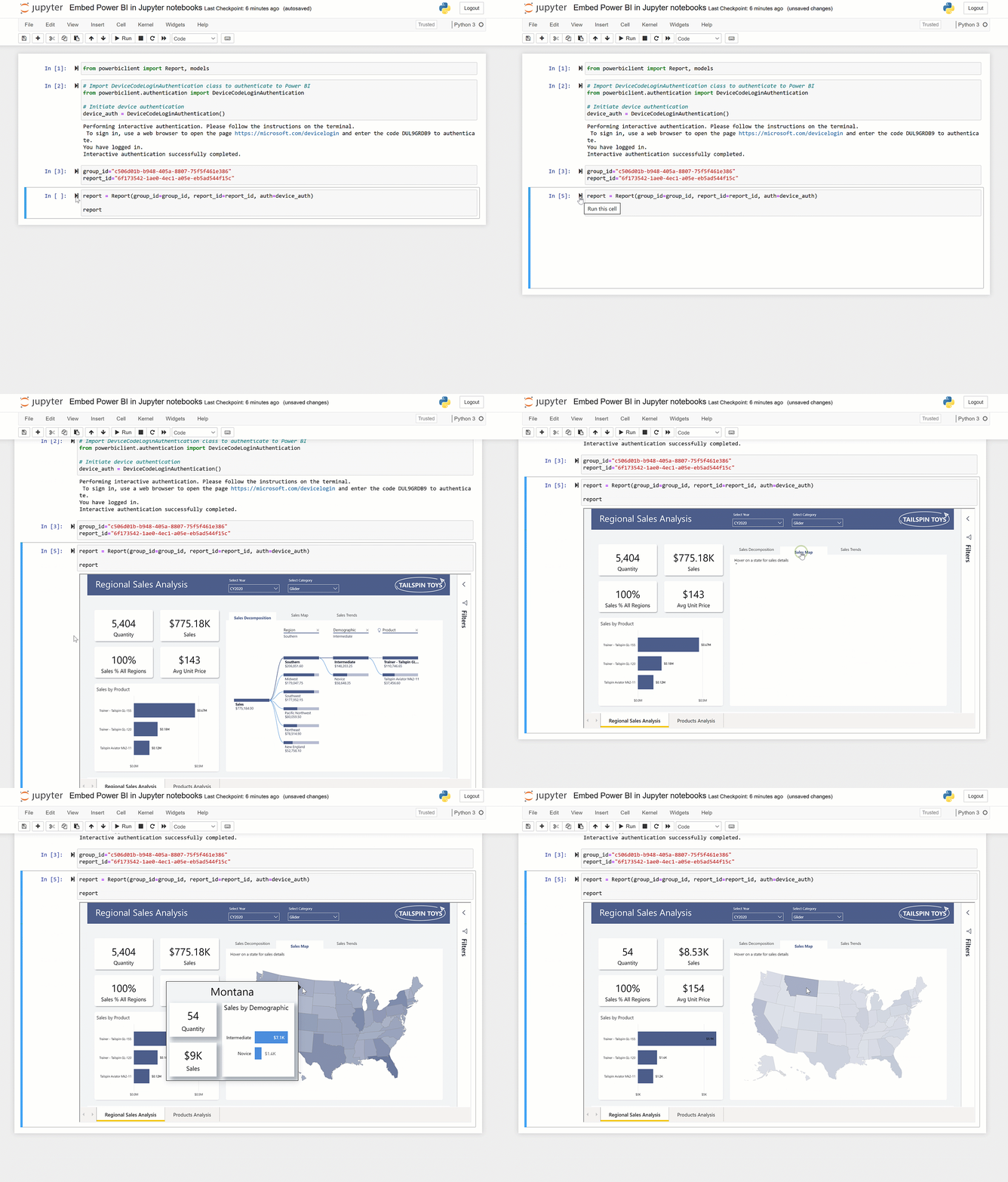
The new package lets you embed Power BI reports, dashboards, dashboard tiles, report visuals or Q&A in Jupyter notebooks easily. You’ll be able to export data from visuals in a Power BI report to the Jupyter notebook for in-depth data exploration. You can also filter the report for quick analysis or use bookmarks to apply a saved view.
You can install the Power BI Client for Jupyter from PyPI and find the open-sourced Python package and associate TypeScript widget on GitHub.
Reference
Announcing Power BI in Jupyter notebooks | Microsoft Power BI Blog | Microsoft Power BI


